

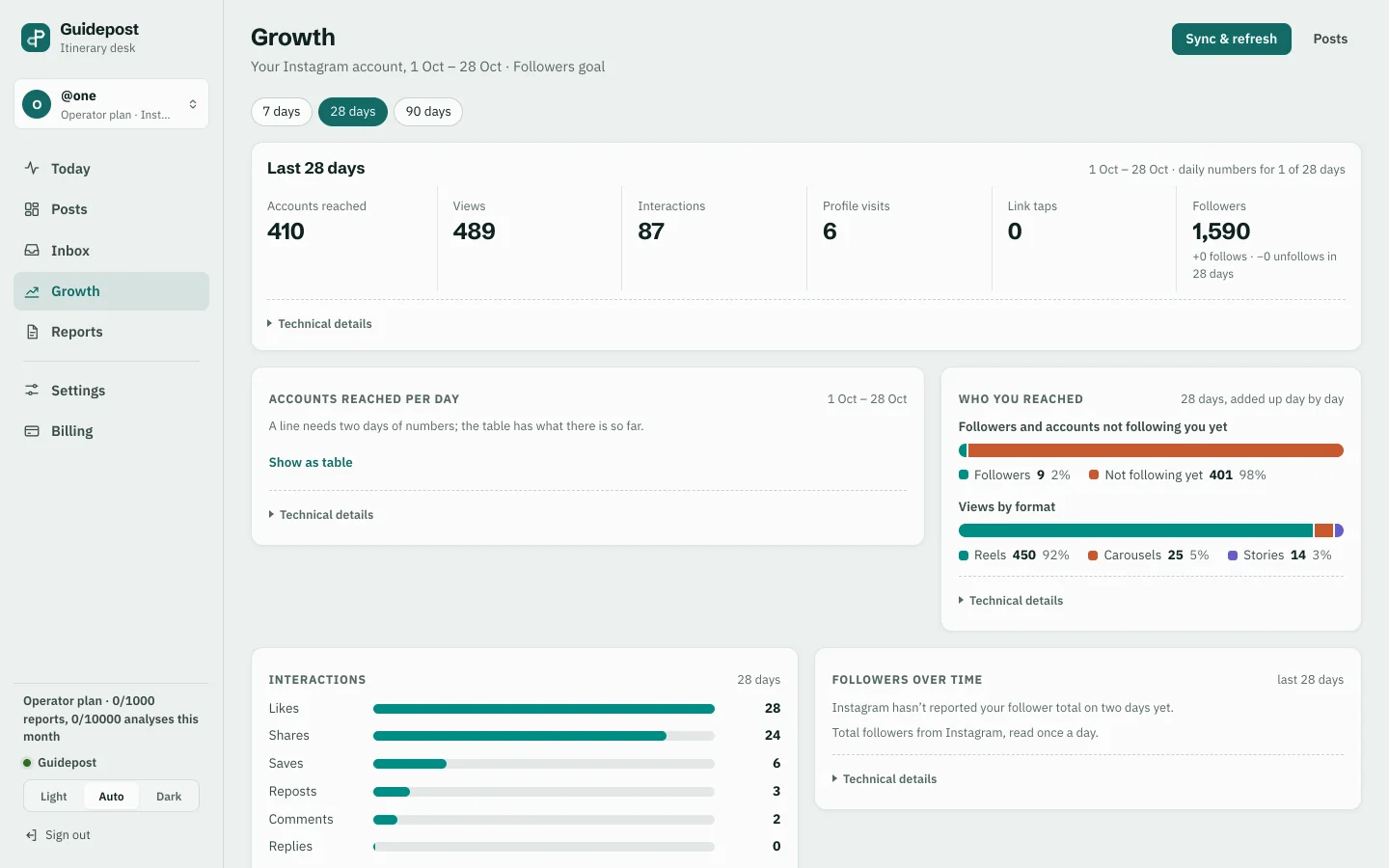
Guidepost
A comment-to-DM web app for Instagram creators, with sign-in by email link, workspaces with members, plans and billing, an inbox of every delivery and a growth dashboard. Live and open to new creators.
A web application is software your customers sign in to and use in the browser, on a phone or a computer, with nothing to download from a store. CodaMinds builds customer-facing web apps and SaaS products for businesses in Malaysia: accounts, workspaces, plans and billing, dashboards and an app that installs to the home screen.
Steven Lim started the studio in Kuala Lumpur in 2021 and has built apps and websites since 2016. We built and run a web app with plans and billing for Instagram creators, and the web version of our own booking app, so sign-ups, payments and the support questions that follow are part of our week, not theory. The person you message is the person who builds your web app, in English, 中文 or Bahasa Melayu. We meet clients in person across the Klang Valley, and work with businesses in the rest of Malaysia, Singapore and further abroad over WhatsApp and a shared draft link.
The three are easy to mix up, and the difference decides what you build and what it costs.
A website is something people read. It explains who you are and what you sell, and it ends with a button to book, buy or message you. Everyone sees the same pages.
A web application is something people use. They sign in, and what they see is theirs: their bookings, their orders, their workspace, their numbers. They come back to it to get work done, not to read about you. It runs in the browser, so one build serves phones, tablets and computers, and an update reaches every user the moment it goes live.
A phone app is installed from the App Store or Google Play. It suits products people open many times a day, or that need deep access to the phone. Many products end up with both: a web app for the desk and a phone app for the pocket, sharing the same accounts and records behind them. See mobile app development.
Most businesses start with the website. A web app is the next step when customers need to do something with you, not just find you.
People sign up, verify their email and sign in. Sign-in by email link means there is no password to forget and no reset form to support. Each account has its own settings and history, and a person can close their account and ask for their data.
When your customers are businesses, one account is rarely enough. A workspace holds a company's records, and its owner invites colleagues and decides what each one can do. One workspace never sees another's data, which is the first thing a business customer will ask about.
A free trial, monthly or yearly plans, an upgrade or a downgrade in a few taps, receipts by email, and a cancel button that works. Failed card payments are retried and the customer is told before access is paused. Refunds go back the way the money came. You see every subscription and payment in your own admin screen.
The screen people open first should answer the question they came with: how many bookings this week, which posts brought followers, what is due next. Charts are kept to the few that lead to an action, and each figure can be traced back to the records behind it.
A web app can be added to the home screen from the browser, with its own icon, opening full screen like any other app. For many products that removes the need for a store app at the start. When the store matters later, the same accounts and records carry over.
Some of the work happens with nobody watching: reminders sent on schedule, payments renewed, messages delivered. Each of those jobs keeps a record of what it did, what failed and why, and errors are tracked so we see them as they happen. See cloud hosting and DevOps.
A SaaS product is a web app that other people pay to use. On top of the parts above it needs a sign-up path that explains itself, plans priced the way your customers think, and an admin side for you: who signed up, who is paying, who has gone quiet. We build the first version around the one job customers will pay for, put it in front of real users, and add the rest in parts, each quoted before it starts. If you have the idea but not the scope, see technical advisory.
A comment-to-DM web app for Instagram creators, with sign-in by email link, workspaces with members, plans and billing, an inbox of every delivery and a growth dashboard. Live and open to new creators.
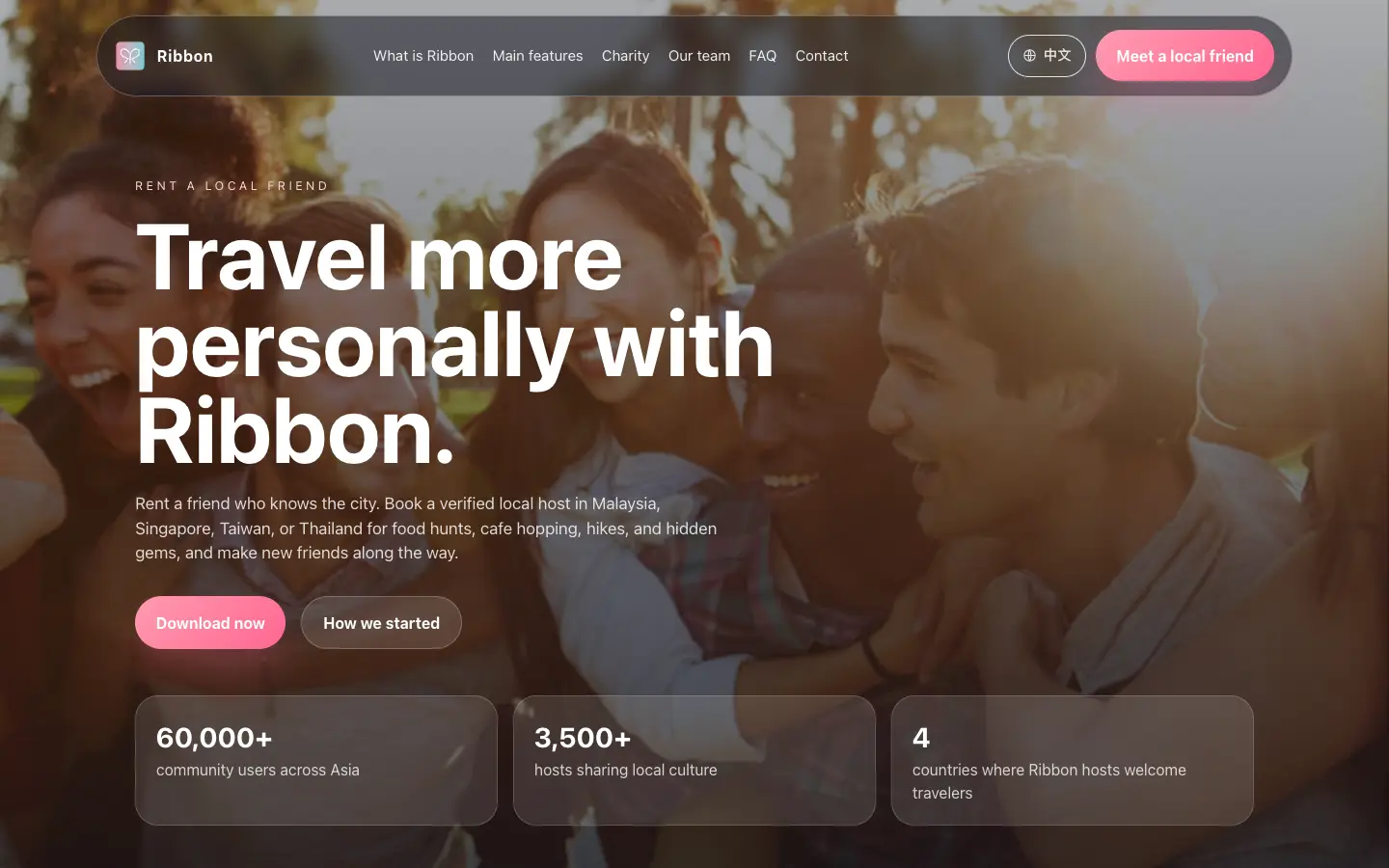
The web version of a rent-a-local-friend app, sharing its accounts, bookings, real-time chat and payments with the phone app. We run it every day in Malaysia, Singapore, Taiwan and Thailand.
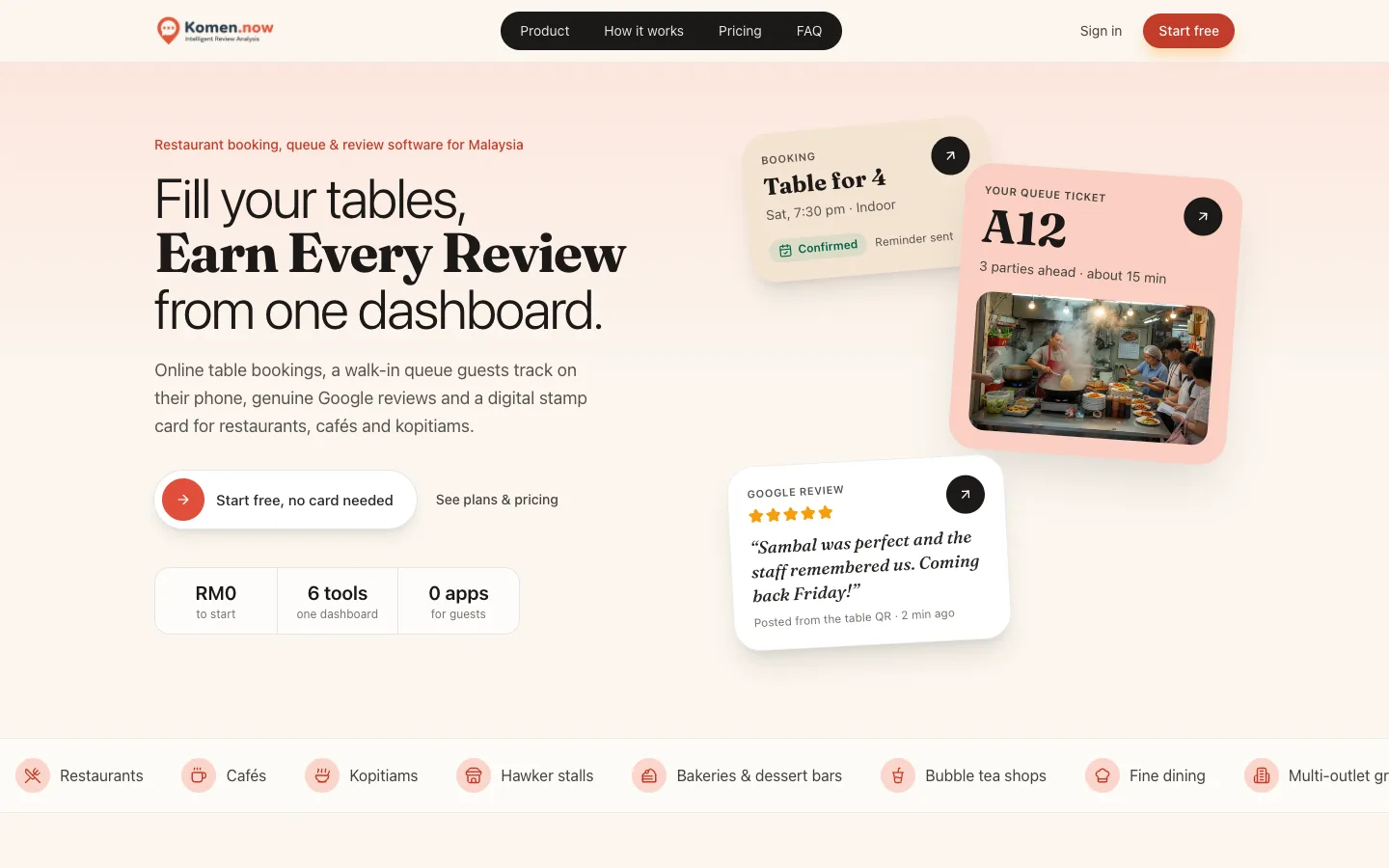
A restaurant platform in the browser: a venue dashboard with staff roles, plus the pages guests use to book, join the queue and collect stamps.
Brief. You tell us who will sign in, what they come to do and how they pay. We reply with questions and a written scope for a first version.
Fixed quote. One price for that scope, agreed before work starts. Anything outside it is quoted first.
Draft on your phone. You sign up, sign in and try the main screens as a customer would. We revise until the path from sign-up to the first useful result is clear.
Launch. The web app goes live on your domain, with hosting and payment accounts in your name and the code handed over.
Care after launch. New features, plan changes and fixes are a message away, each quoted before it starts. See website maintenance.
A website is read: everyone sees the same pages about your business. A web application is used: people sign in and work with their own records, such as bookings, orders or a team workspace. Both run in the browser. Many businesses have a website that explains the product and a web app behind the sign-in button.
Start with a web app when people use the product at a desk, when you want one build for every device, or when you want updates to reach everyone at once. Build a phone app when people need to find you in the App Store or Google Play, or the product needs deep phone features. Many products have both, sharing one set of accounts.
Yes. Plans, free trials, upgrades, downgrades, receipts and cancellations are built in, and failed payments are retried with a notice to the customer before access is paused. The payment account is opened in your business's name, so the money goes straight to you.
Yes. On most phones a web app can be added to the home screen from the browser, with its own icon, opening full screen. There is no store review and no listing to manage. If you later want a store app, the same accounts and records carry over.
Yes. Guidepost is one: creators sign up, pick a plan, invite their team into a workspace and are billed for the plan they choose. We build the first version around the one job your customers will pay for, then add parts as real users ask for them, each quoted before it starts.
It is built for the browsers your customers actually use, on phones, tablets and computers, and tested on real phones before launch. Screens rearrange for the size of the device rather than shrinking a desktop layout. If a customer is on a very old browser, they see a clear message rather than a broken page.
Tell us who will sign in to your web app and the one thing they come to do. Tap the button to message us on WhatsApp, and we reply with a written scope for a first version and a fixed quote.
WhatsApp us